Find Skill at the Workshop computer
At Imari’s Workshop counter, interact with the computer and look for Skill in the first menu. It sits beside Develop, Customize and Sell Items. Choosing Customize follows the gun-performance path; Skill is the entry to inspect Reona’s skill system.
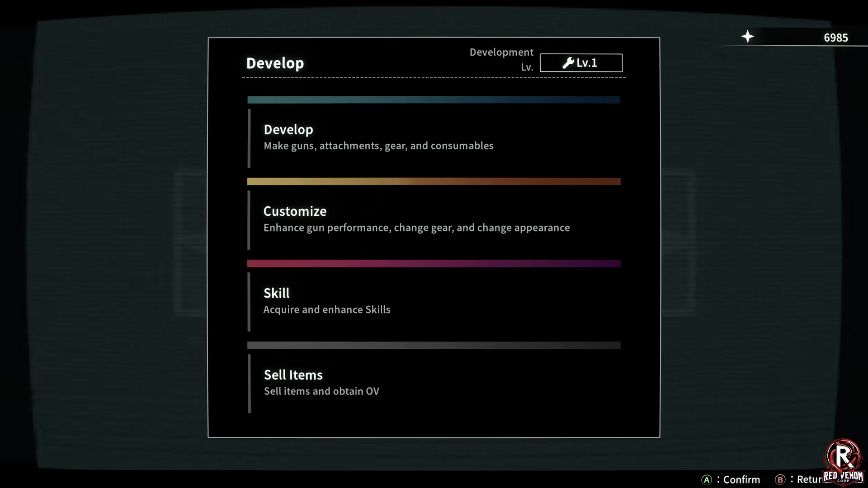
The demo includes locked skills in the hub tree, as described in Automaton’s hands-on. A visible node or connection alone does not tell you its learning cost or prerequisite.
The five displayed branches
The official English skill-tree image labels five groups:
- Attack
- Defense
- Ranged Attack
- Melee Attack
- Anomalous Unleash
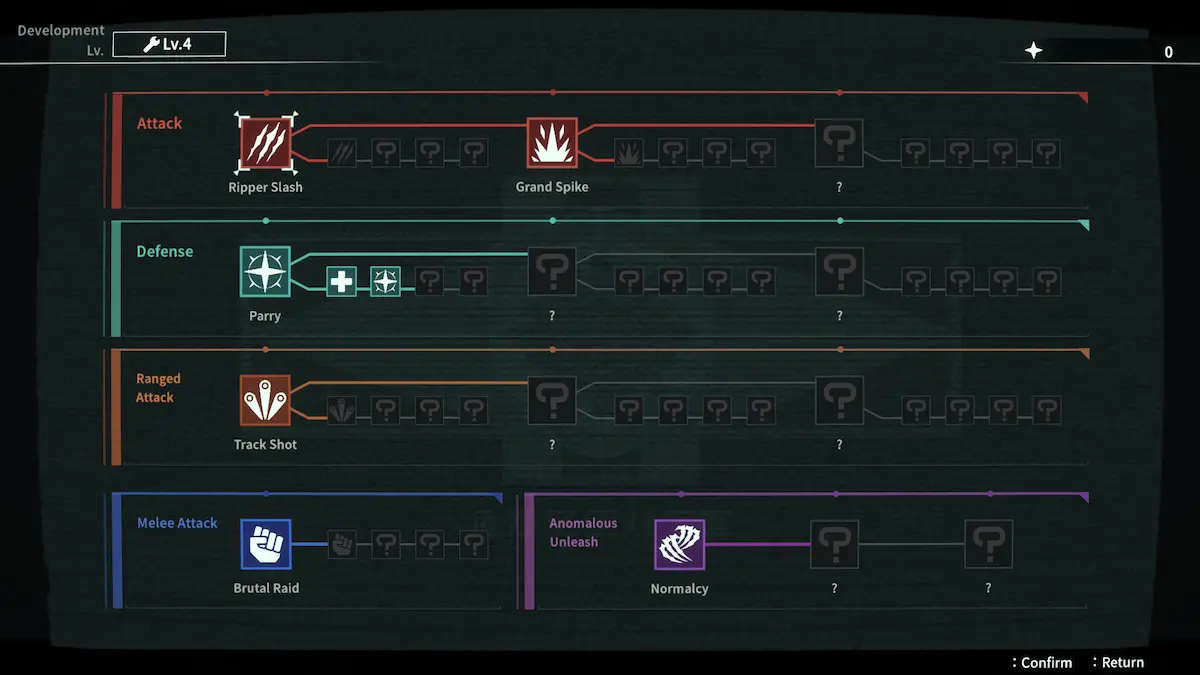
Use these headings to find a part of the tree. Open the selected node for its current cost and prerequisites. The Development Lv. and currency figures at the top describe the overall menu state; check the node details before spending.
Six names are readable; the tree is not a full skill list
The image makes these names readable: Ripper Slash, Grand Spike, Parry, Track Shot, Brutal Raid and Normalcy. The official system overview describes twelve unique Anomalization powers overall. Six visible names therefore should not be presented as all twelve abilities.
Parry also appears in the demo combat discussion: the published hands-on describes responding to a glowing incoming melee attack with a parry and counter. The boss guide shows the resulting recovery window. A skill name does not establish the current default button, an exact timing window or whether every attack is eligible.
Open the selected node for its current cost, prerequisites and learning prompt. This reference identifies the branches and visible names; choose a purchase order after reading those node details in your build.
Keep skill growth separate from gun growth
| Your aim | Relevant system |
|---|---|
| Inspect Reona’s abilities | Skill at the Workshop computer; read the branch and node details in your own build. |
| Improve an owned gun’s stat | Customize → Handgun → Confirm → Enhance, as demonstrated in the demo. |
| Change gun parts | Attachment categories and their material requirements. |
| Change equipment or appearance | Gear, Appearance and body Artifacts. |
For a first run, identify which system addresses the problem you have. Do not assume that buying a gun stat also learns an ability, or that every number at the top of a menu is a skill-point balance.
The tree is an official development-build image. Names, availability and layout may change before or after release; use the selected node’s live description when making a purchase.