Find the Workshop counter
In the hub, look for Imari Fushimi behind the workbench, with a computer at the front. Interact with the computer to open its menu. Choose Customize to enhance a gun you already own; Develop is the neighboring option for making equipment and consumables. Both use the same computer.
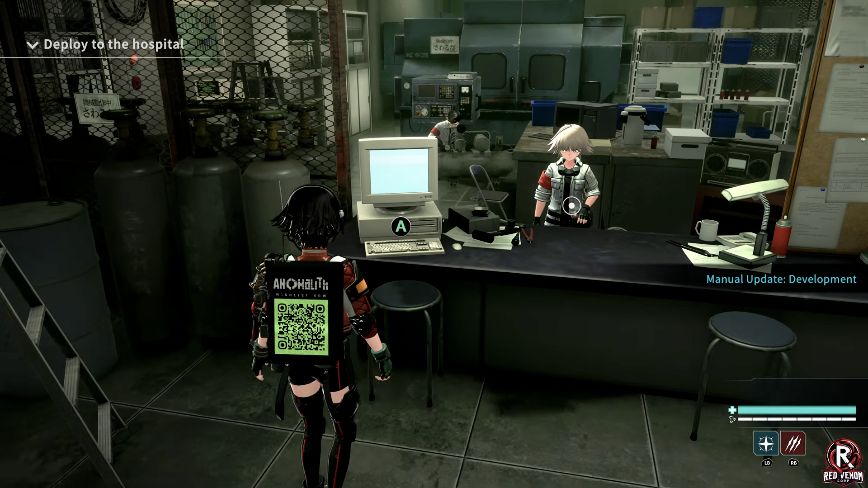
The demo introduces the Handgun enhancement before sending you back out. For a first attempt, follow that small, available upgrade rather than planning around a locked higher-tier item.
Enhance the Handgun you already have
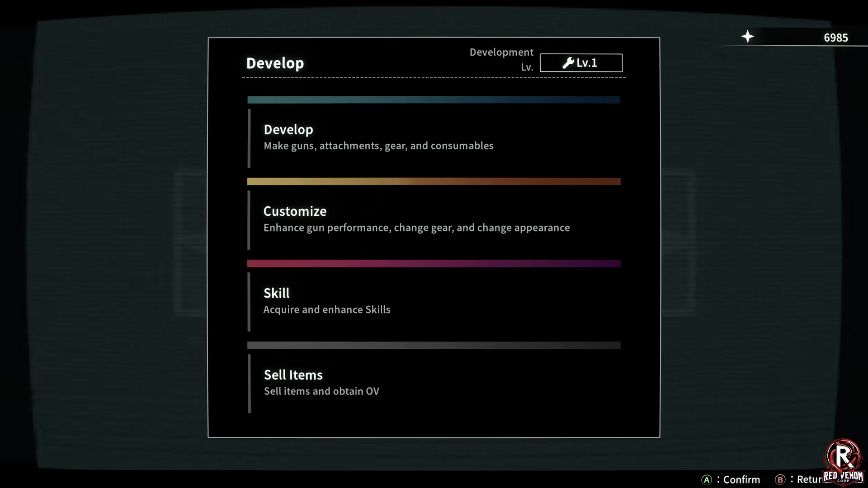
- At the computer, choose Customize, then Handgun. Confirm the selected gun to open its Enhance screen. Check the weapon name before spending materials.
- Go to Enhance and select an available stat. The demonstrated first enhancement is Attack Power. Ready identifies an available option; red level requirements and Locked identify a gate you have not met.
- Read Required Materials and the currency cost. The right panel compares the material amount available with the requirement. Check the selected stat’s preview before confirming.
- Confirm once, then inspect the weapon panel. Check the updated stat rather than treating the highlighted preview as a completed purchase.
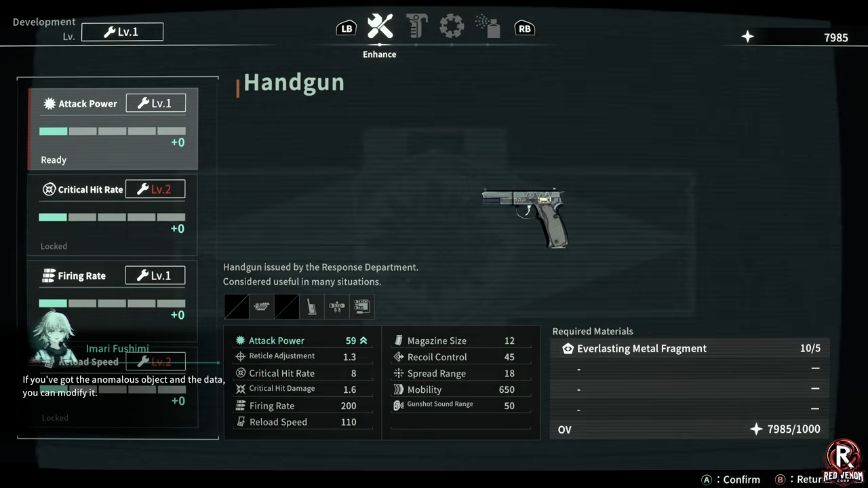
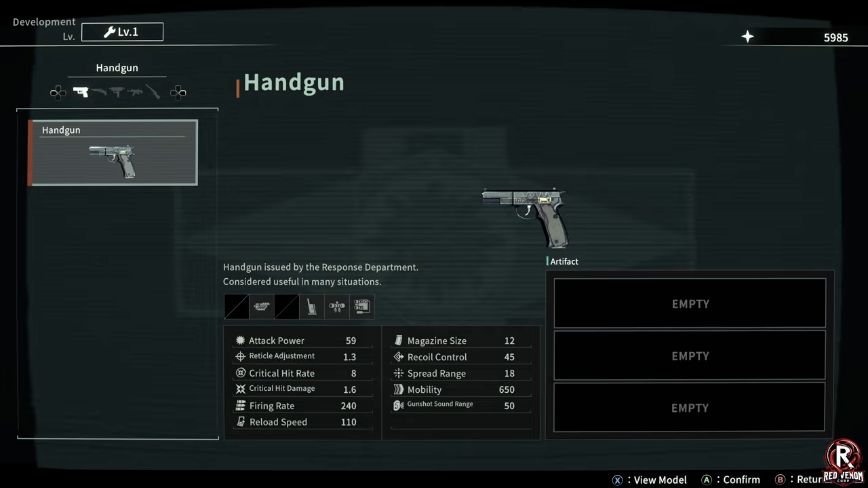
The same public sequence later demonstrates a Firing Rate enhancement. That shows how to use the interface; it is not evidence that every player should buy a second upgrade before the boss.
Development creates items; enhancement improves equipment
The Development tutorial explains that the Workshop computer creates equipment and items from materials, and limits available items to the current development level. That is why an item or stat can remain unavailable even when you have some materials.
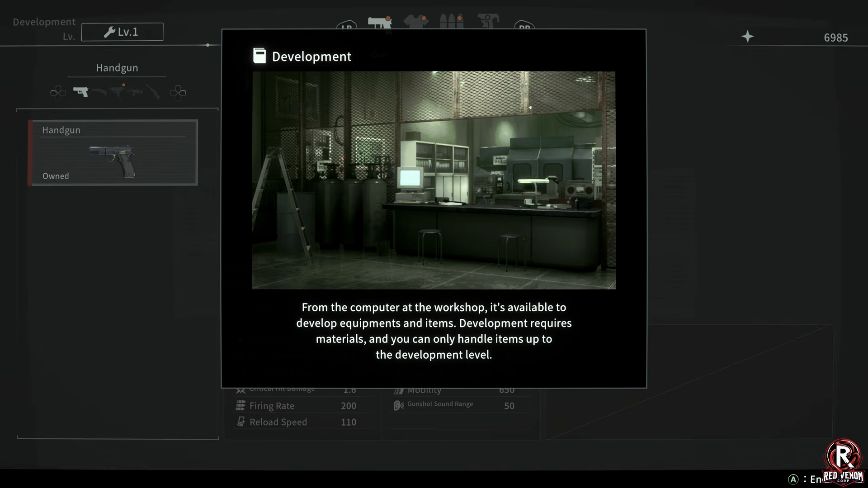
For this first upgrade, stay with the gun already in your inventory. An Owned label in the Develop list means you already have that entry. Return to the computer’s first menu and choose Customize for the enhancement path shown above. The shared Development Lv. label at the top is a level indicator, not the menu choice you need to make.
If you need ammunition instead of a stat upgrade
At the computer’s first menu, choose Develop, then the Ammunition category. The captured list contains handgun ammunition, submachine-gun ammunition and shotgun shells. Select the ammunition you need and compare Items in Inventory, Items in Storage, Required Materials and the OV cost.
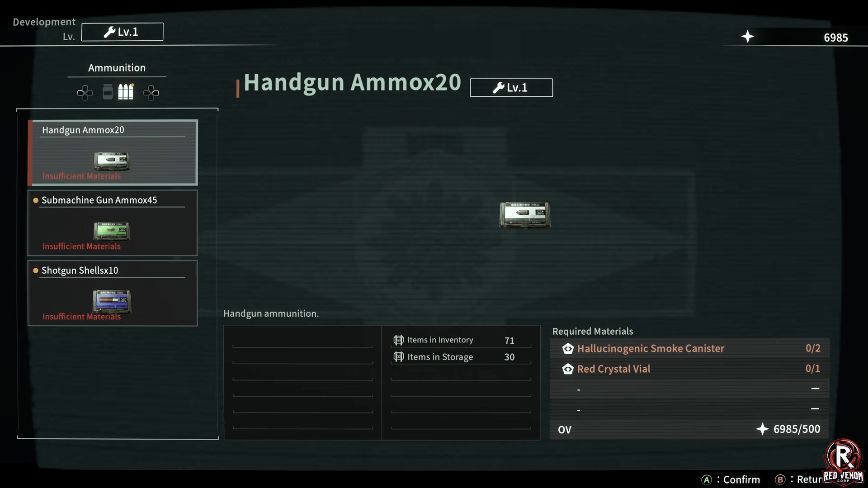
If the recipe says Insufficient Materials, leave it unconfirmed and note the missing material. Do not spend the same resources on a stat upgrade when your immediate problem is ammunition. Recipe quantities and available inputs can change with demo updates. Use the requirements displayed in your own menu.
If materials or a higher tier are missing
- Missing materials: keep the required-material name in view and bring exploration materials back through the hospital portal. Do not spend a resource just because another item is available.
- Locked level: stay with a Ready option. This guide does not claim that collecting more of one material bypasses a development-level gate.
- Not enough currency: leave the purchase unconfirmed and keep exploring. The demo’s hospital can be revisited after its boss is defeated, according to the published hands-on report.
Your boss plan still depends on aiming and attack windows. Prepare a loaded weapon for the lamp window before trying to turn every resource into an upgrade.