Three equipment decisions to keep separate
| System | What to inspect |
|---|---|
| Gear | Equipment stats and the selected part. The official overview describes nine gear parts that affect Reona’s stats. |
| Appearance | The look you want. The current store description says outward appearance can change without affecting stats. |
| Body Artifact | The Artifact’s effect and the Status screen. The shown help panel restricts equipping it to the base. |
The distinction is useful when an item looks good but another stat choice suits the next Dive. You do not need to treat every visual change as a combat upgrade.
Read the Gear development screen
The Workshop’s Develop system makes equipment and items from retrieved materials. The official Gear example selects Body → Disaster Response Jacket, with availability states, a stat preview and Required Materials on the right.
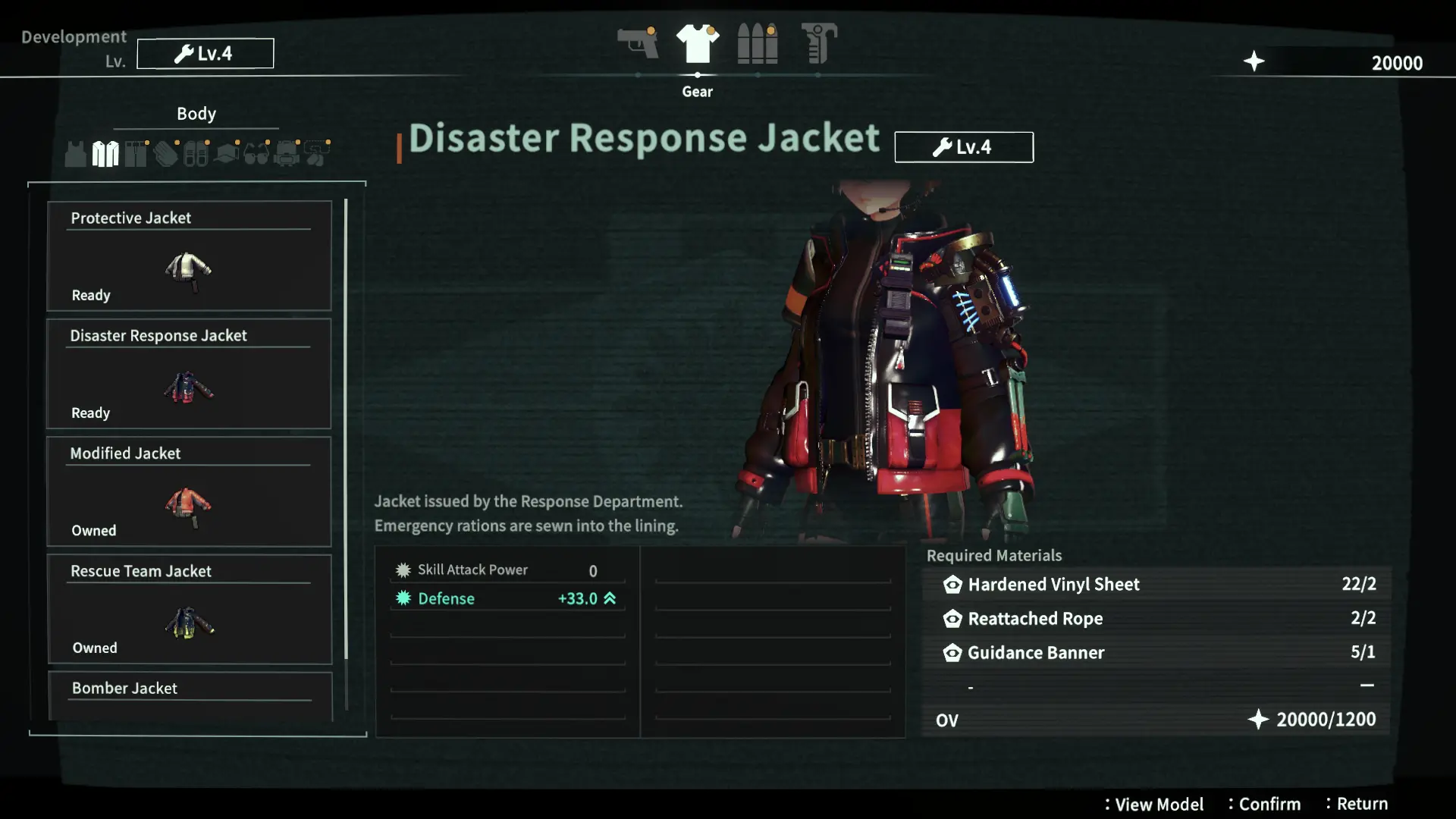
An Owned label identifies an item already owned; Ready and locked entries help distinguish what is available. Do not copy the pictured quantities as a current recipe: the website labels its screenshots as development-build images. Use your own menu’s requirements and OV cost.
Gun enhancement uses a separate Customize → Enhance path. Creating a jacket and increasing a Handgun stat are different spending choices.
Recognize Toggle Gear/Appearance
The shown equipment screen is on the Hands category, with Band Gloves Replica White selected. Its bottom row includes Toggle Gear/Appearance. Use the action displayed by your layout to distinguish the stat-bearing gear selection from the appearance selection.
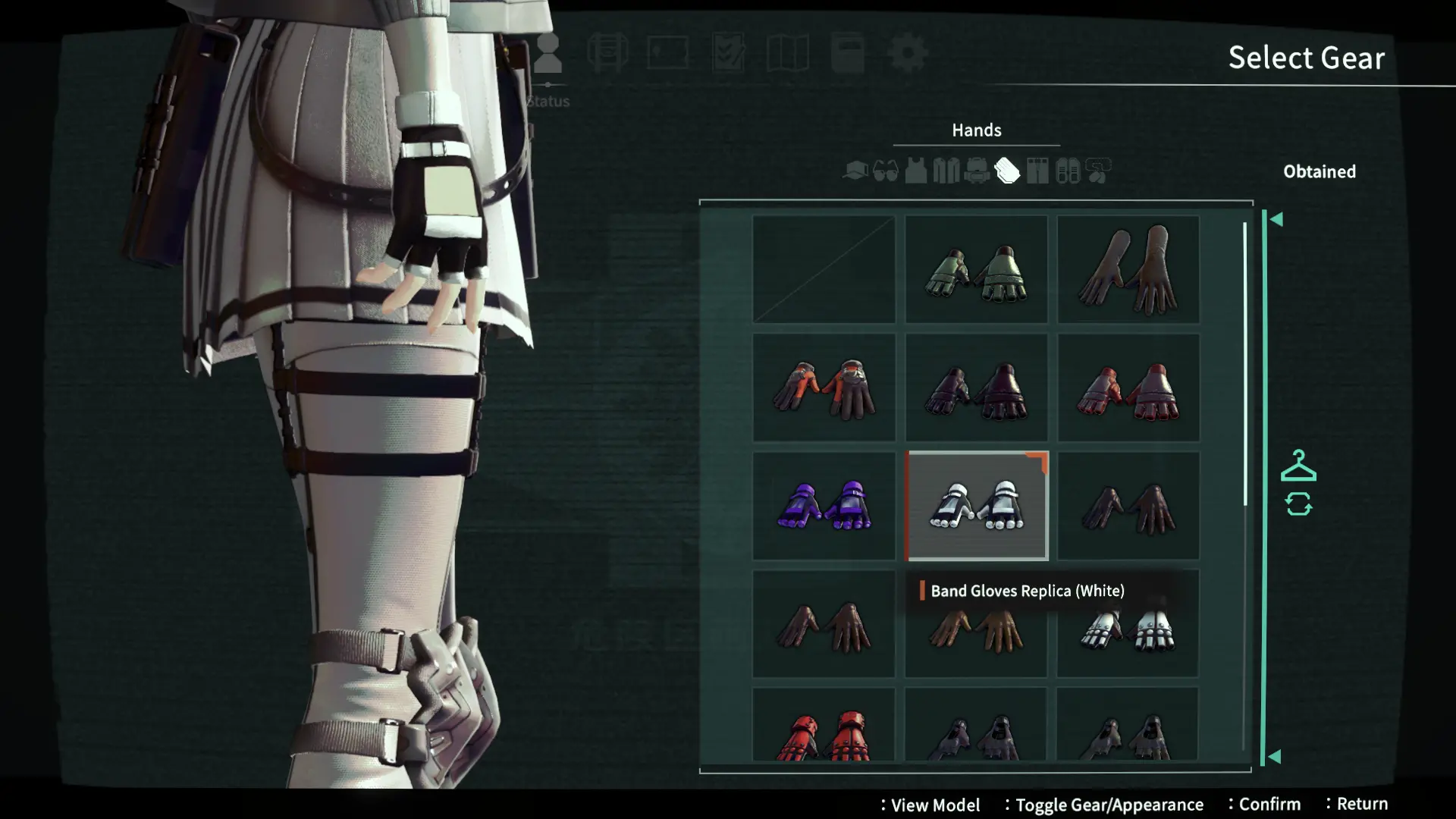
The current game description explicitly supports changing outward appearance without affecting stats. This is a system explanation, not a list of every outfit or its unlock condition. For the demo-clear outfit and the distinction from paid bundles, see demo rewards and carryover.
Equip a body Artifact through Status at the base
The Artifact Equipment: Body help panel identifies body Artifacts as special equipment and directs you to the Status screen. It says they are only equippable at the base. Make this equipment decision before leaving on a Dive.
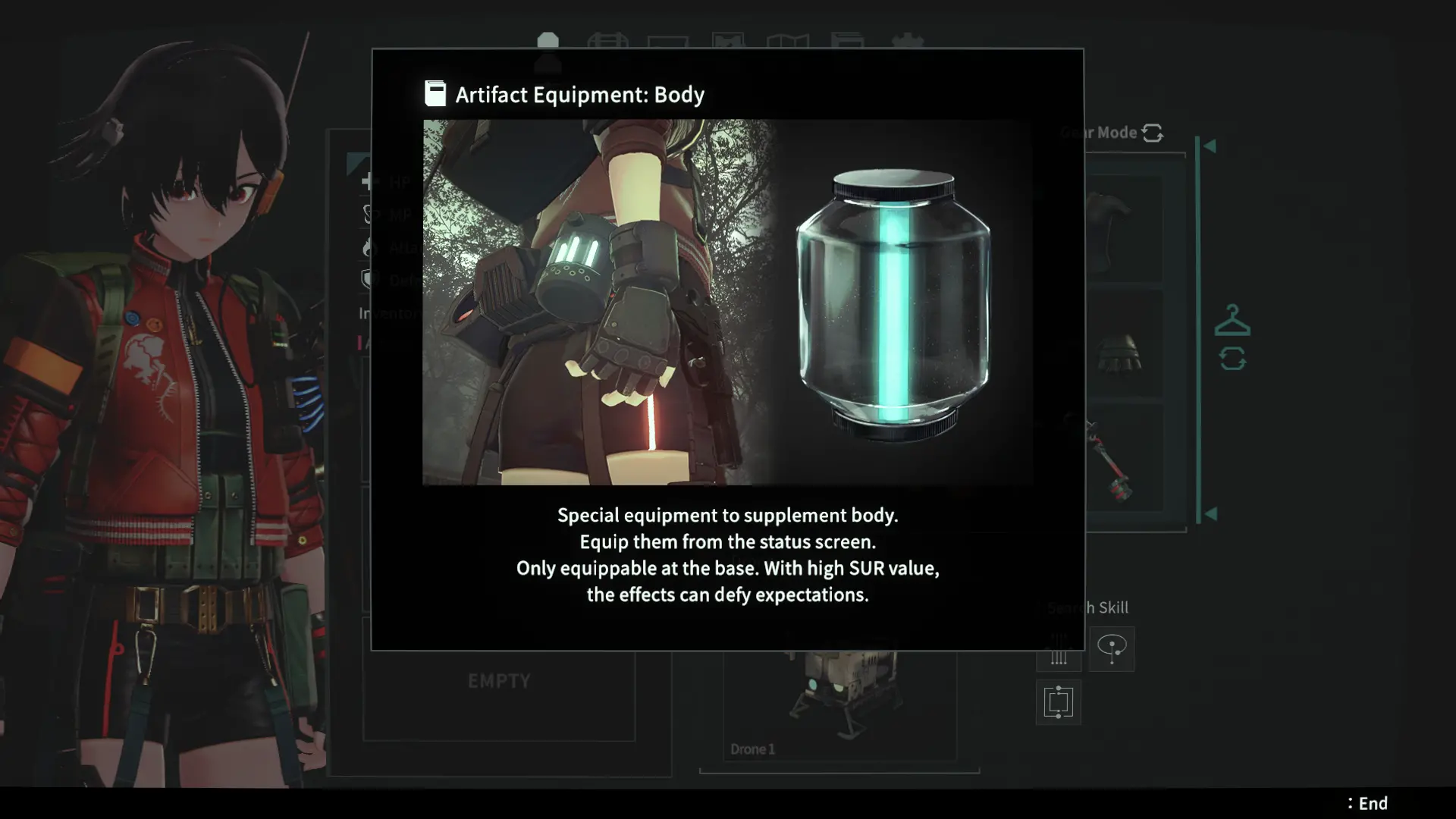
The official equipment overview describes retrieved Artifacts as a way to improve stats. The help text also refers to high SUR producing unexpected effects, but does not give a formula, threshold or guaranteed result. Read the selected Artifact’s live description rather than planning around an invented SUR breakpoint.
Choose the change that helps the next Dive
- Need a different stat result? Compare the gear or Artifact’s actual description and preview.
- Only want a different look? Check Appearance before replacing a stat choice you already prefer.
- Need ammunition first? Inspect the Ammunition requirements before spending materials on optional gear.
- Need more room for retrieved materials? Use portal storage and check the carried case afterward.
Menu examples come from the official system presentation. They explain the separate equipment decisions; item quantities and unfinished UI details are not current-build guarantees.