Make the first goal small
ANOMALITH alternates between fighting and retrieving items in Anomaly Zones, then replenishing and improving equipment at the base. The official system overview treats both halves as part of progression. A useful first goal is to return with resources and understand what your current loadout can do.
- PrepareCheck gun, ammunition and case space.
- DiveRead the enemy and retrieve useful items.
- Send backMove crafting materials into storage.
- ImproveChoose the next affordable Workshop job.
Do not plan around a weapon you have not obtained or a recipe still marked Locked. Start with the gun and supplies actually in your inventory.
Make room without sending away your next fight
Check the carried case as you collect materials. At a hospital portal checkpoint, the storage interface offers Move All Materials and individual Send/Take Out Item actions. After sending, check that the materials reached storage and that the ammunition and other supplies you need are still available to carry.
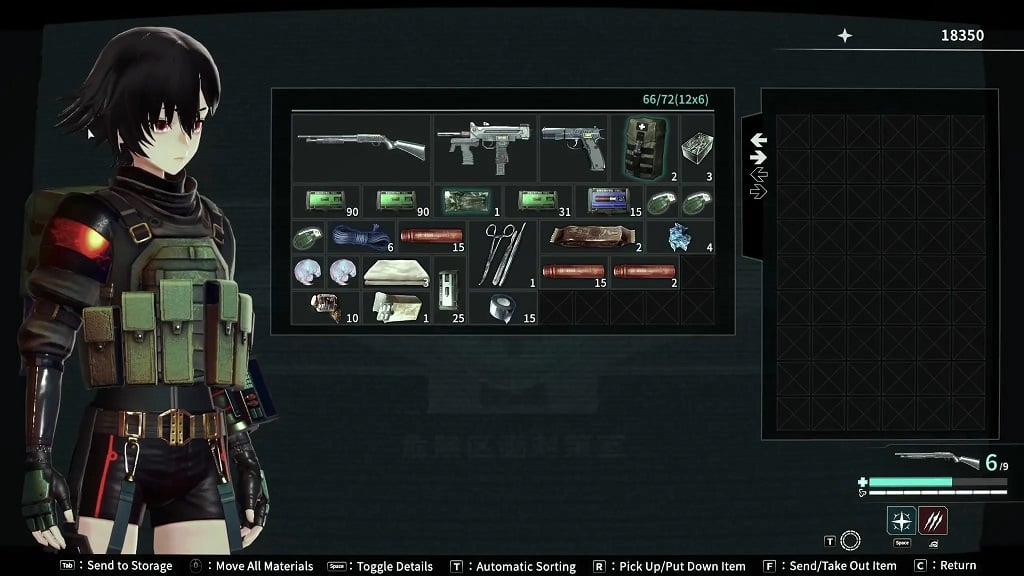
For the full menu explanation, use the portal storage guide. Sending materials and making the case look tidier solve different problems; a neat case can still be full.
At the base, choose one Workshop job
Use the computer at Imari’s Workshop counter. Its first menu separates Develop, Customize, Skill and Sell Items. Decide what you need before entering a submenu.
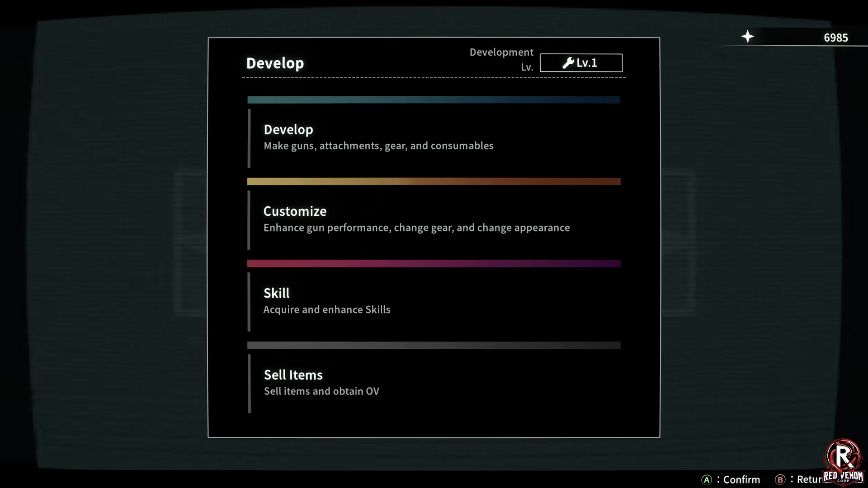
- You have a gun but want to improve it: use Customize. The demo’s demonstrated Handgun path is Customize → Handgun → Confirm → Enhance. Read Ready, Required Materials and OV before confirming.
- Your immediate problem is ammunition: inspect Develop → Ammunition before buying an optional enhancement. Compare the inventory and storage counts with the recipe’s requirements.
- You want to understand Reona’s abilities: inspect Skill. The skill-tree reference explains the displayed branches without prescribing an unverified purchase order.
- You need OV: Sell Items is identified as the selling entry. Check the materials needed for your planned recipe before selling; there is no universal safe-to-sell list here.
Follow the Handgun enhancement guide for the complete demonstrated upgrade and result check.
Check four things before the next Dive
- Choose for the next encounter. In the operating-room boss fight, a close-range gun can use the lowered-lamp window; a fast-firing option helps clear red cubes. Work with the weapons and ammunition you own.
- Check the actual ammunition supply. Owning a gun does not mean its ammunition recipe is affordable. Read the shortage message before spending shared resources elsewhere.
- Leave case space for retrieval. Send crafting materials into storage and check your carried supplies afterward.
- Read your own prompts. Demo updates expanded input settings. Use the controls shown by your current layout rather than copying buttons from an older screenshot.
Change the part that caused the loss
| What happened? | Next useful task |
|---|---|
| The case filled up | Send materials into storage and inspect both panes. |
| A recipe was unavailable | Read the material or level gate; more currency alone may not solve it. |
| Shots did little to the boss | Use the counter recovery and rear lamps instead of firing continuously at the torso. |
| The room attack knocked you down | Find the far side of the central pillar before starting another damage burst. |
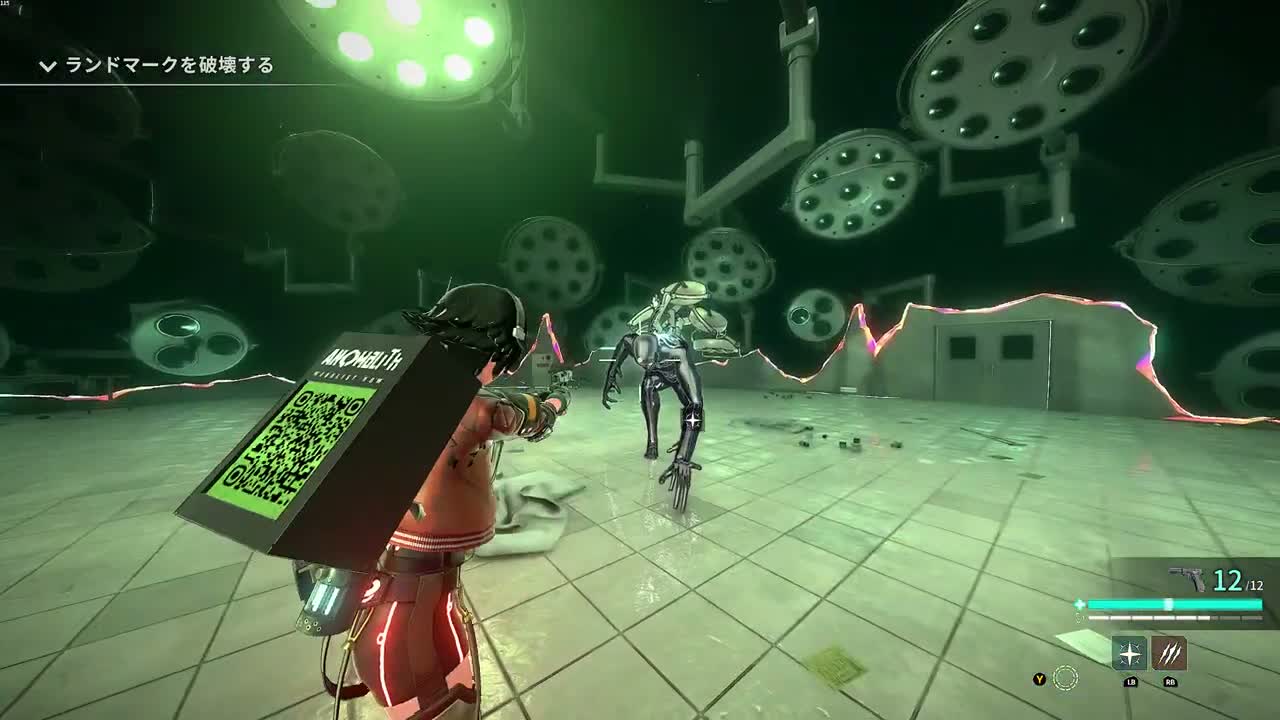
Preparation improves the next attempt; it does not replace reading the encounter. If you can identify what stopped the run, choose that task and repeat the loop.