What the three shown gun types are useful for
| Gun type | Useful shown situation | Decision to make |
|---|---|---|
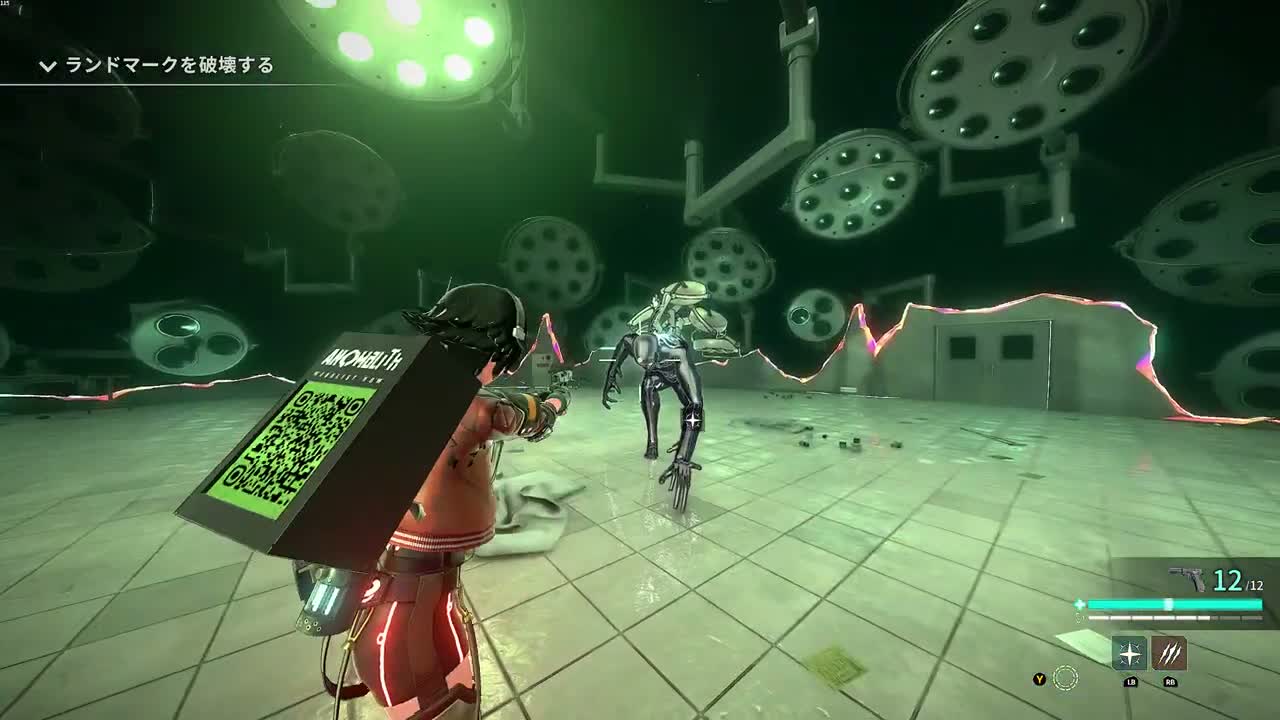
| Handgun | Taking shots at the boss’s rear lamps; also shooting red projectiles. | Use a loaded handgun when it is the supply you can support. The Workshop demonstrates enhancing the one already owned. |
| Submachine gun | Rapid follow-up shots while aiming at moving red cubes. | A fast-firing option gives room to correct aim. Break off boss damage to clear an approaching threat. |
| Shotgun | A close recovery window after the boss buckles and lowers its lamps. | Take the opening at close range, then reset before the next attack. Do not stay beside the enemy just to fire again. |
Match the gun to an attack window
A short window: the rear lamps
A successful close counter can make the operating-room boss bend forward. Aim at the circular lamps while they are lowered. A close-range shotgun is practical here; a handgun is another demonstrated option. Read the counter-and-lamp sequence before treating this as an invitation to stand next to the boss.
A moving threat: the red cubes
Turn away from the boss to shoot red clusters that are closing in. The recorded sequence uses submachine-gun fire; handgun shots are also shown. Switch while you have a clear gap or cover, rather than waiting until the shapes surround you.
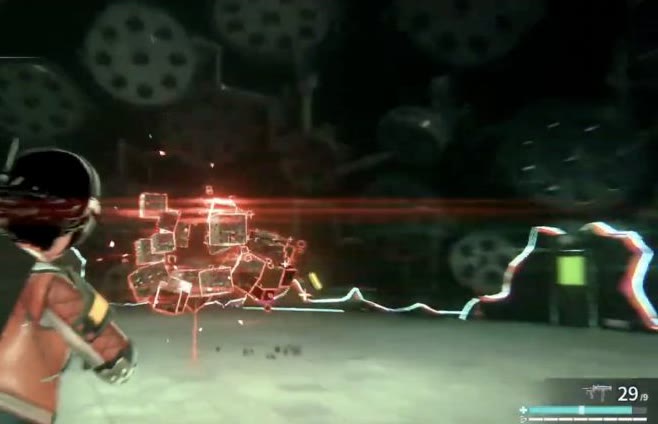
The bright room-wide attack calls for pillar cover, not a different gun. Weapon choice cannot make an exposed aiming position safe.
Gun enhancement and attachments are different choices
Customize → Enhance improves a gun you already own. The demo shows the Handgun’s stat panel changing after enhancement. Use the Workshop guide for that path.
The official system presentation also shows an Attachment screen. In the pictured Stock category, Steel Stock has a Ready state, other options can be Locked, and the right panel lists materials and OV. Inspect the selected part’s requirements before spending; the picture is a menu example, not a current fixed recipe.
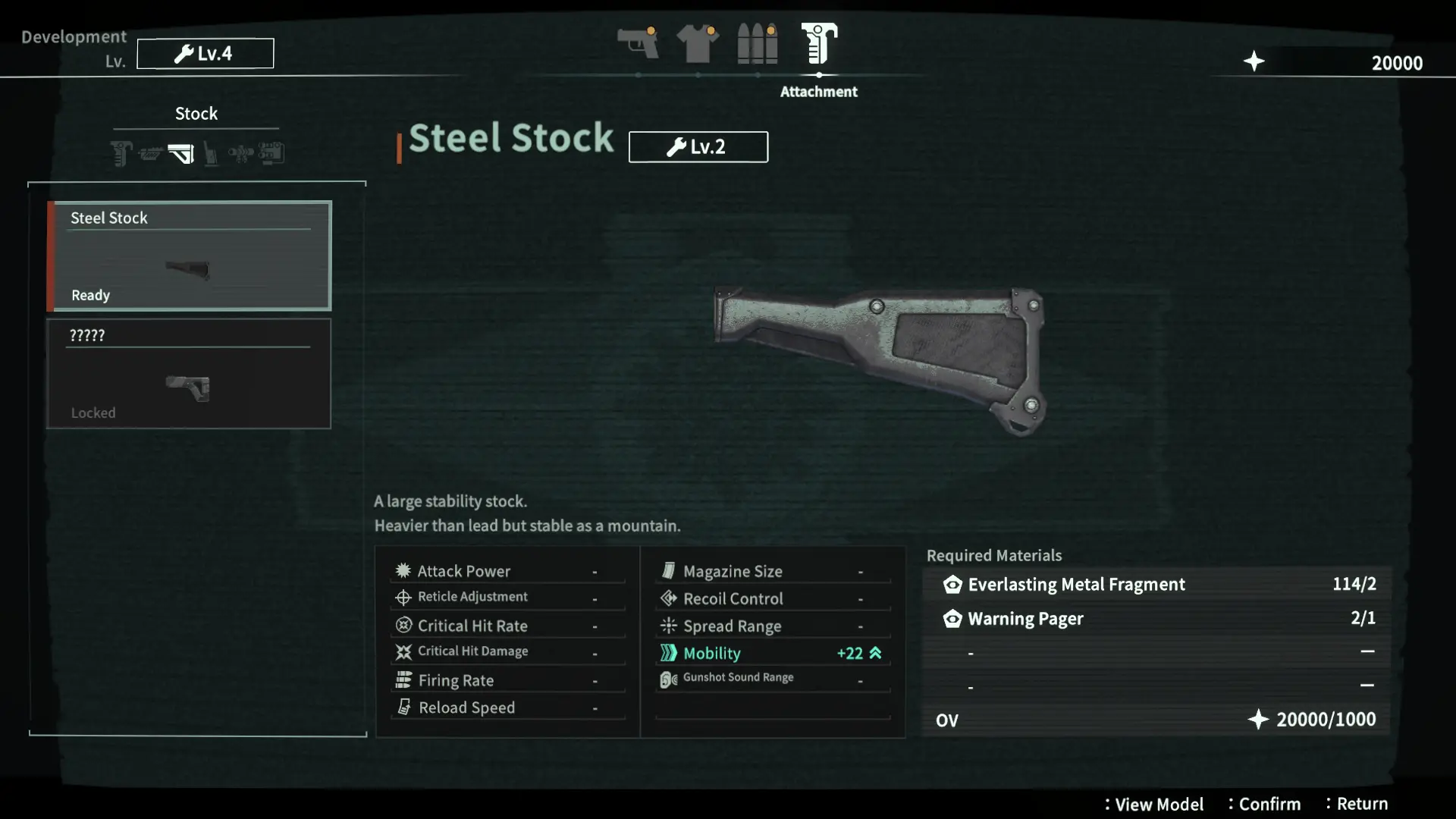
The official equipment overview describes attachments as gun customization and retrieved Artifacts as another way to improve stats. Gear and body Artifacts have their own equipment decisions.
Check ammunition before investing in a gun
At the Workshop computer, Develop → Ammunition separates the ammunition you have in inventory and storage from the materials needed to make more. If the recipe says Insufficient Materials, a gun enhancement will not resolve that shortage. Read the ammunition menu and reserve resources for the next encounter.
Are the Deluxe weapons required?
No special edition is needed to follow the combat examples above. The Digital Deluxe listing names a Semi-Automatic Sniper Rifle, Double-Barreled Shotgun and Prototype Handgun as bonus weapons. That listing is not a free-demo acquisition guide. Compare the package in the editions and bonuses reference if those extras matter to your purchase.
Combat examples use public demo footage. Follow your current build’s tuning and control prompts.